Disclosure: We may earn a commission when you purchase through links on our site. This does not influence our reviews or recommendations.
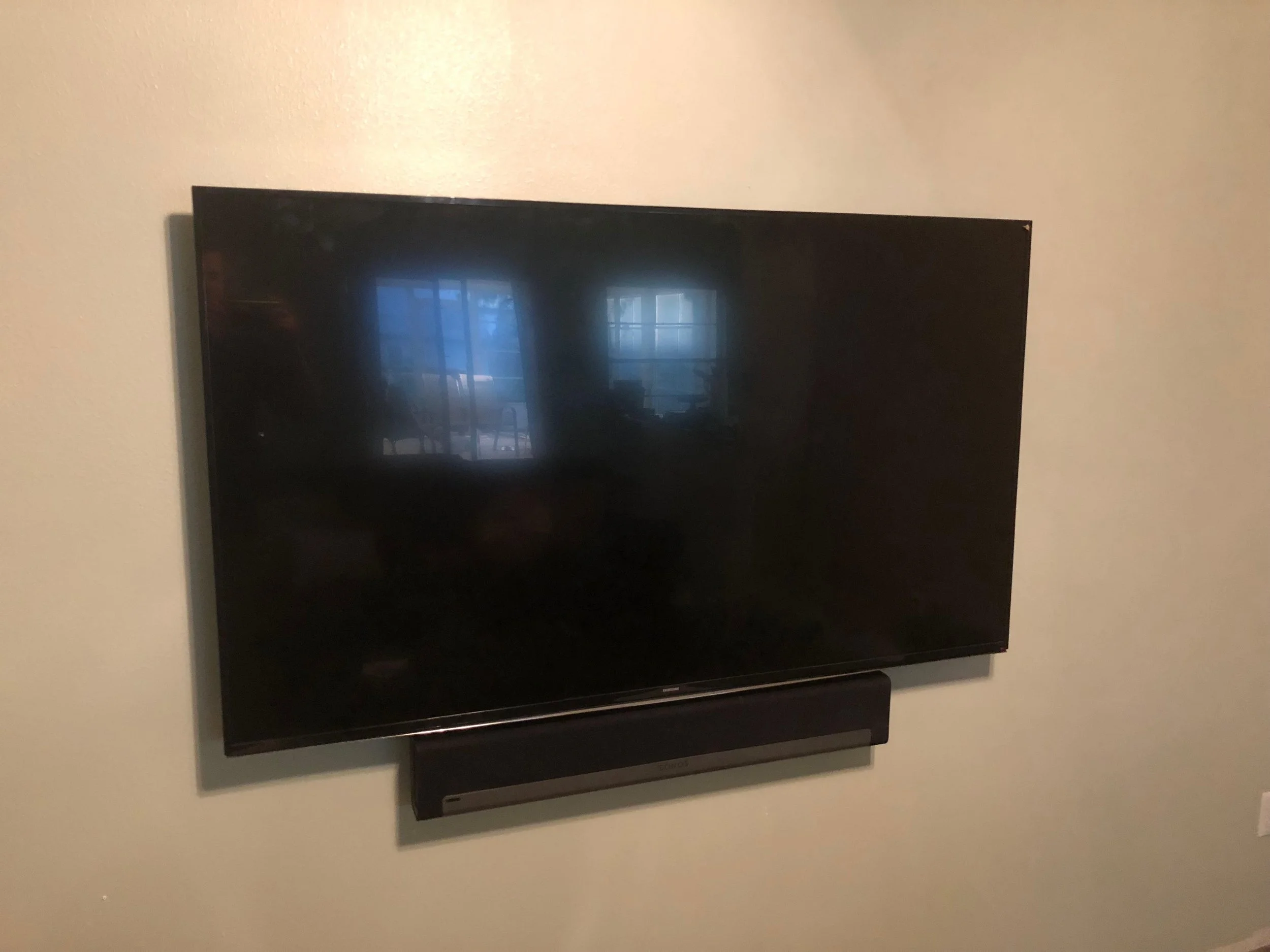
When a client asks me to mount a soundbar below their TV, a handful of questions run through my head before I even open the toolbox.
Will their existing TV mount accept a soundbar bracket? Will that mount safely carry the added weight? Is there enough clearance behind the TV to fit another bracket without it colliding with the wall plate? How am I hiding the HDMI and power cables? Is there power back there at all, and if there is, are there enough outlets for the TV and the soundbar?
And underneath all of that sits the real question: should we mount the soundbar in the first place?
I talk clients out of mounting their soundbar more often than you'd expect. Soundbar Deals on Amazon!
Why Mounting Isn't Always the Right Call
A lot of soundbars, especially ones with Dolby Atmos support, have drivers built into the top of the cabinet. Those upward-firing speakers are designed to bounce sound off the ceiling and back down toward the couch. Tuck that soundbar tight underneath a TV — particularly when the TV sits farther off the wall than the soundbar does — and you can end up physically blocking the speakers you paid extra for.
Width matters too, and it's an easy thing to overlook. A soundbar that's noticeably wider than the TV above it looks off the moment it's installed, and a lot of people don't realize the mismatch until the box is already opened. Measure the TV's width and compare it to the soundbar before you buy, not after.
Sometimes the cleaner-looking install isn't the better-sounding install. If a TV is already mounted above a fireplace with a mantle underneath, I'll usually just set the soundbar on the mantle instead of mounting it. There's rarely a good reason to add another bracket, more weight on the TV mount, and another cable to hide when a perfectly good shelf is already sitting right there. Here is a Amazon link to my favorite soundbar mount for smaller soundbars, it’s the easiest to use one I’ve found.
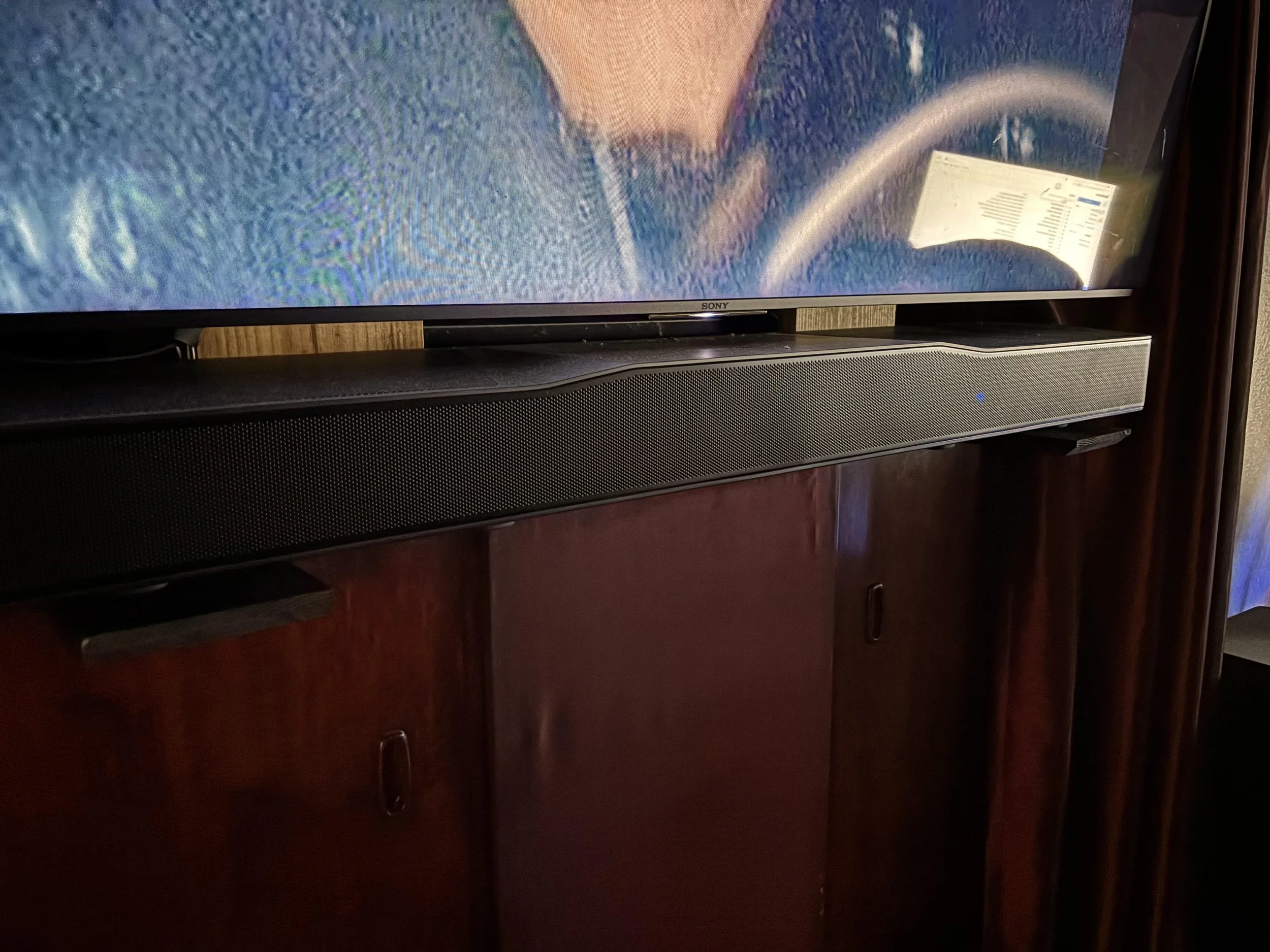
DIY soundbar mount my client did, this is a monster soundbar so mounts can’t really hold this one how we needed it.
Look at the Top of the Soundbar Before You Buy It
This is the tip I wish more people knew before they bought a soundbar, because it's not something you'd think to check.
Look at the driver layout before you buy. If the top of the bar is covered in upward-firing Atmos drivers, mounting it directly beneath a TV is going to need more clearance than you'd guess, and might not be worth the trade-off. If the bar fires forward only, you have a lot more flexibility with tight mounting. The Sonos soundbars were just awful at this, the drivers on the top really muffled the sound bad.
The mount itself deserves the same scrutiny. Wall-mounted TV doesn't automatically mean you can bolt on a universal soundbar bracket and call it done. Some mounts handle the extra hardware easily; others are already close to their weight rating with just the TV on them. On a fixed mount holding a large TV, check the rated capacity before adding anything. On a full-motion mount, it's a bigger deal — you're adding weight, leverage, and movement all at once, and a mount that tilts or extends puts more stress on that soundbar bracket than a fixed one ever will. Soundbar Deals on Amazon!
One Outlet Behind the TV Usually Isn't Enough
Everyone plans for HDMI. Almost nobody plans for power.
If there's a recessed outlet behind the TV with two receptacles and the TV takes one, you're probably fine. But add a streaming device, a powered HDMI accessory, some LED backlighting, or anything with an oversized power brick, and that second receptacle fills up fast. At that point you're deciding between having an outlet properly added or running a compact, low-profile power strip that can safely sit behind the TV — and either way, that's a decision worth making before the soundbar shows up, not after.
That's on top of routing the soundbar's HDMI eARC cable, which needs its own path through the wall or behind the mount alongside everything else.
Then There's Control
Nobody thinks about this until they're standing in front of the TV with three remotes.
A lot of soundbars now run through an app for basic setup and EQ adjustments, which is fine for some clients and a dealbreaker for others. I tend to steer people toward the simpler soundbars — a lot of the budget options you'll find on Amazon just work out of the box with a single remote and no app required. No account, no Bluetooth pairing screen, no firmware update before movie night. For clients who just want sound to come out when they press play, that simplicity is worth more than an extra driver or two.
A Real-World Example
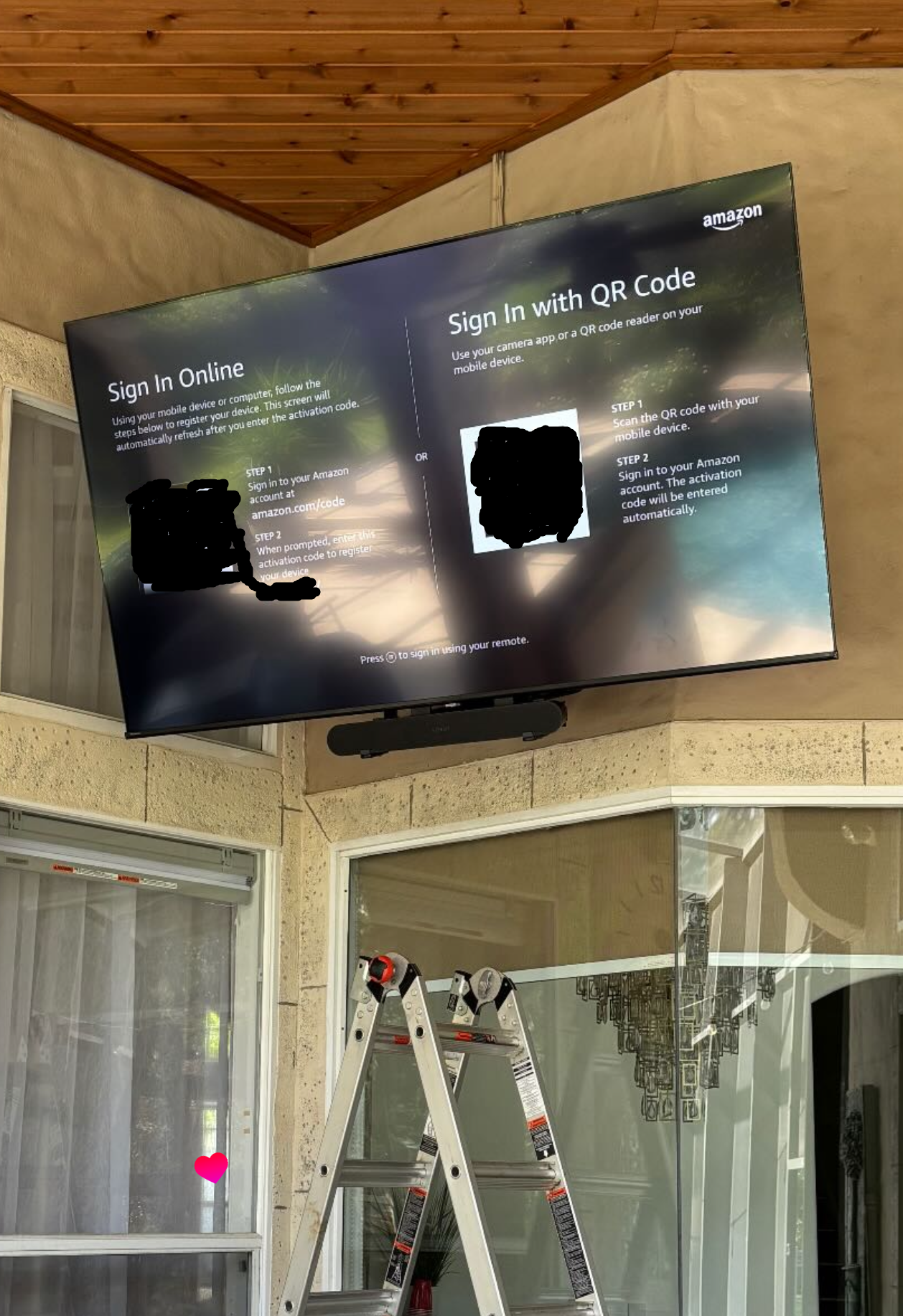
One install that stands out: a TV mounted almost 12 feet off the ground, paired with a soundbar the client already owned rather than something sized for the space. Getting a bracket installed and leveled at that height, on a ladder, with a soundbar that wasn't originally chosen for a mounted install, was not a fun afternoon. Why did we do this? Well the wiring for the in ceiling speakers had been damaged, so pulling new wires wasn’t an option at this point.
That said, soundbar mounts have gotten a lot better over the past several years. The brackets available now are more adjustable, hold weight more securely, and give you more room to compensate for exactly this kind of situation — a bar that wasn't designed for the mount it's ending up on. An install like that would have been a much bigger headache not long ago.
The Short Version
Before you mount a soundbar under a TV, check the driver layout, check the width against the TV, check what the mount can actually hold, check the power situation behind the wall, and think about how you actually want to control the thing day to day. Answer those questions before you buy the soundbar, and the install goes a lot smoother than if you answer them with a drill already in your hand.