Disclosure: We may earn a commission when you purchase through links on our site. This does not influence our reviews or recommendations.
Excellent 4K Picture Quality for Under $3,000
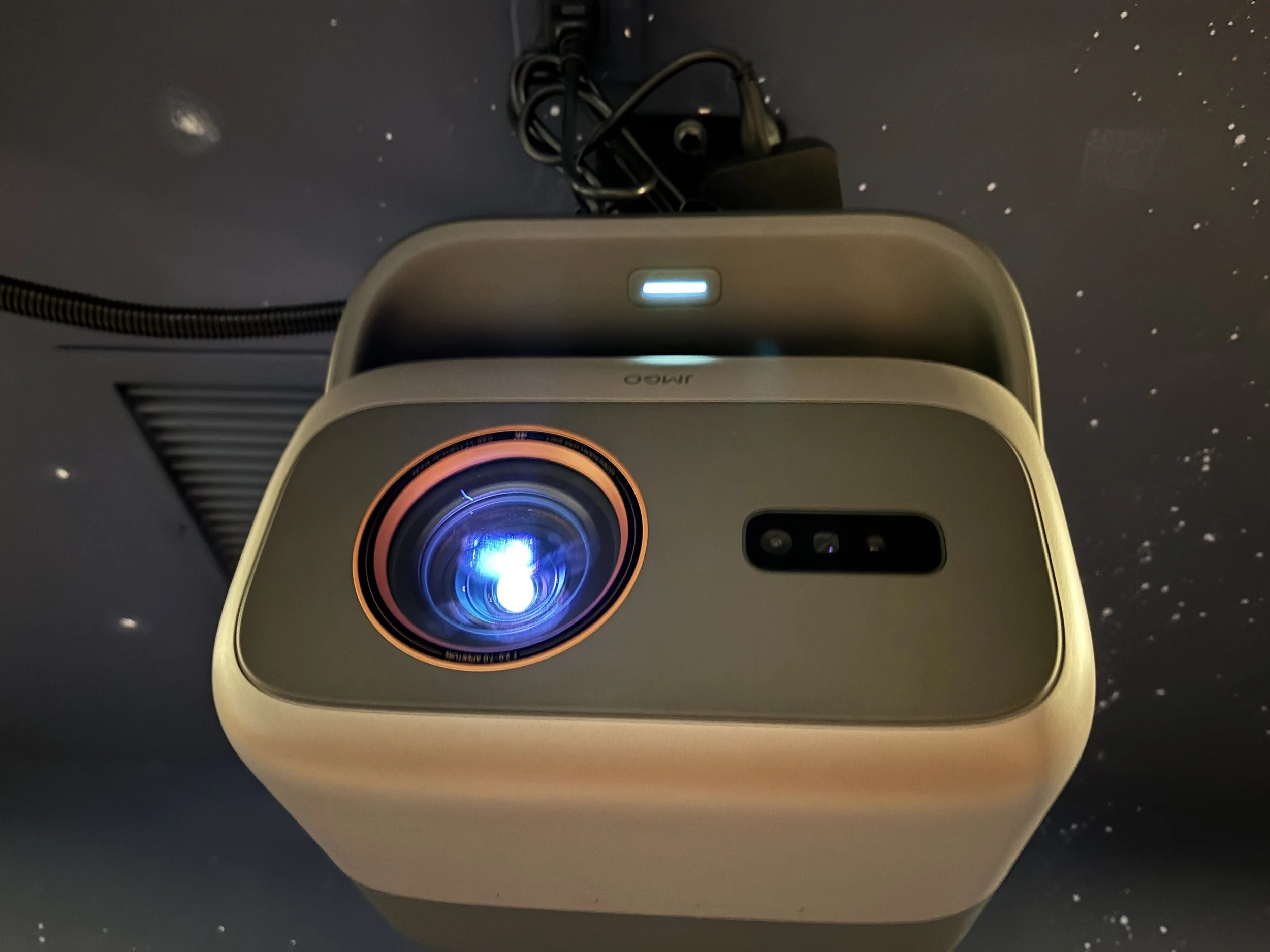
Every once in a while, a projector comes along that genuinely surprises me, and the JMGO IRIS Ultra is one of them. With an advertised 4,500 lumens, a 7,000:1 native contrast ratio, and 4K/120Hz support, it sounds like a $5,000-plus projector. At roughly $2,400, it delivers some of the most impressive picture quality I’ve seen in years. Despite a few installation quirks, I love it, and I’m giving it a 9/10.
I’ve reviewed home theater equipment for more than a decade and have been working with custom AV installations even longer. Between the reviewing and my integration business, I’ve installed hundreds of projectors, from basic media rooms to elaborate home theaters, so I usually know what to expect when a new one arrives. My first reaction to the IRIS Ultra was muted. It’s another projector with an integrated gimbal-style stand, a design I’ve seen more of lately and appreciate for its convenience, though it’s nothing revolutionary. Then I read the specifications, and after I got it installed and saw the picture, I was genuinely blown away. I don’t remember the last time a projector at this price impressed me this much. There are a few things I’d change, especially from an installer’s perspective, but none of them would stop me from recommending it.
Buy the JMGO Iris Ultra on Amazon!
Serious Hardware for the Money
JMGO advertises 4,500 lumens, a 7,000:1 native contrast ratio, and 4K at 120Hz. Those are substantial numbers for a projector selling for about $2,400, and a few years ago that kind of advertised performance would have cost considerably more.
Specifications don’t tell the whole story, though. I’ve reviewed plenty of projectors with impressive brightness figures that didn’t look special once installed, and contrast claims can be misleading depending on how they’re measured. For this review, I’m treating JMGO’s figures as manufacturer specifications rather than independently verified measurements. I haven’t done calibrated lumen or contrast testing, and I haven’t verified the high-refresh-rate performance. What I can say is that the picture looks fantastic, and that’s ultimately what matters most to me.
The Installation: A 14-Foot Throw in a Real Home Theater
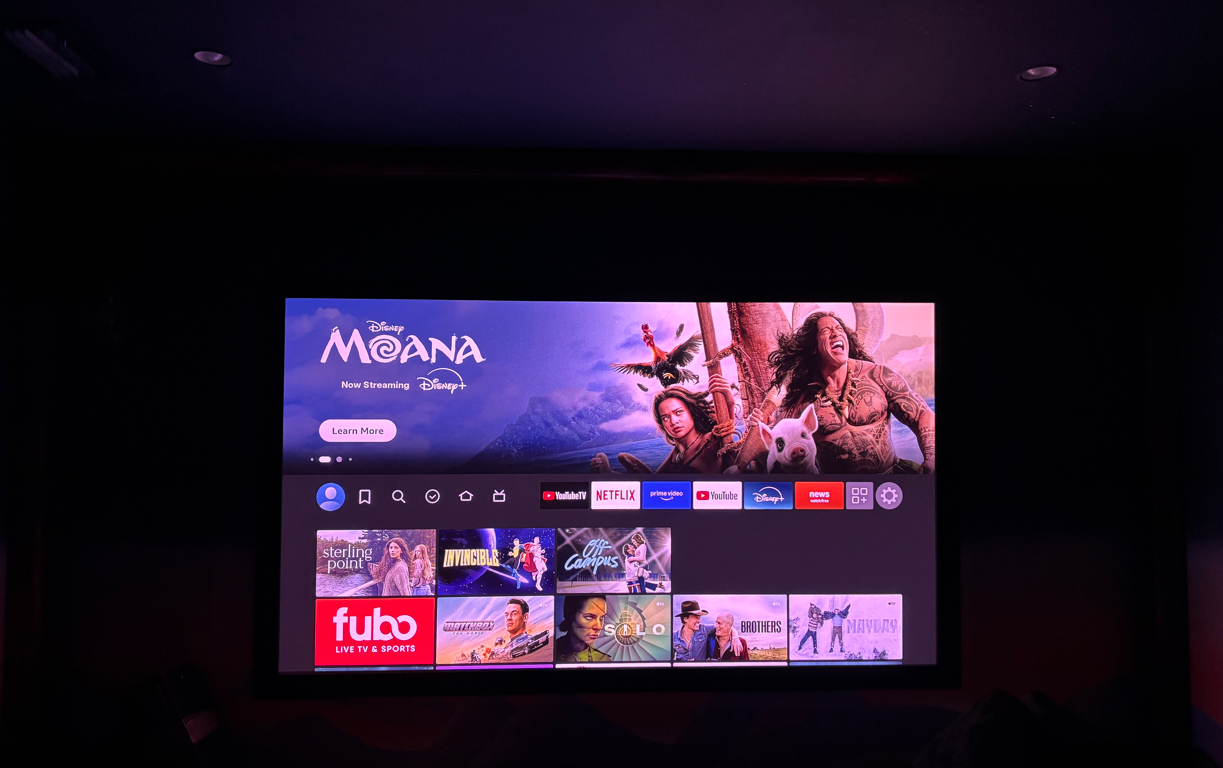
I installed the IRIS Ultra in a client’s dedicated theater room, and I’m grateful to Ryan for letting me do that and photograph the process. This wasn’t a quick demo on a blank wall. It was a real installation with the same considerations I deal with in my custom integration work. The room has a precisely measured 14-foot throw distance and an existing 110-inch white projection screen. The surrounding wall has a custom-painted Western theme, which looks great but turned out to be a challenge for the projector’s automatic image adjustment.
I wasn’t sure the existing screen would be big enough for this setup, and that concern was justified. At a 14-foot throw, the projector wanted to produce an image larger than the 110-inch screen could accommodate. We got it positioned and adjusted, but some of the image still bled past the screen’s edges. Ryan is already planning to upgrade to a considerably larger screen, so the problem was never that the projector couldn’t make a big enough image. The screen was too small, which is a good problem to have with a projector meant for enormous pictures.
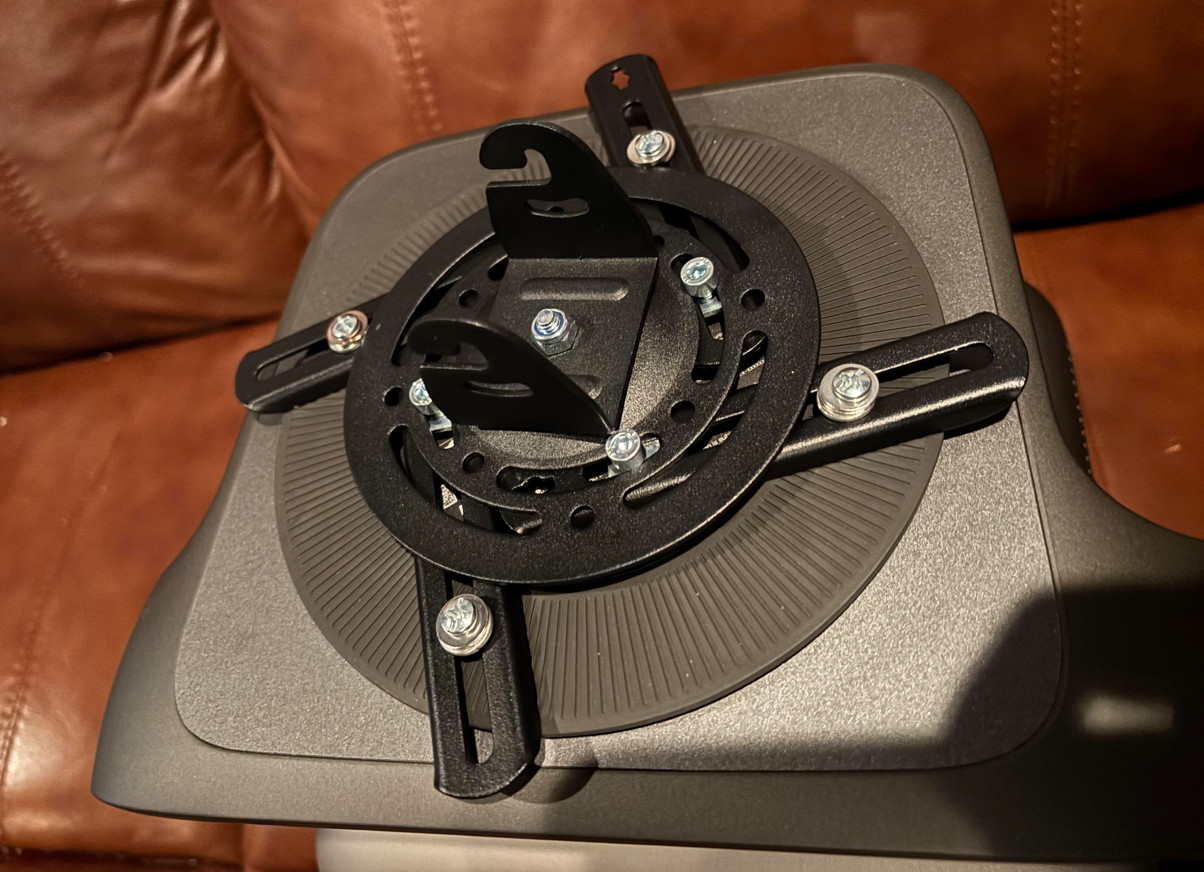
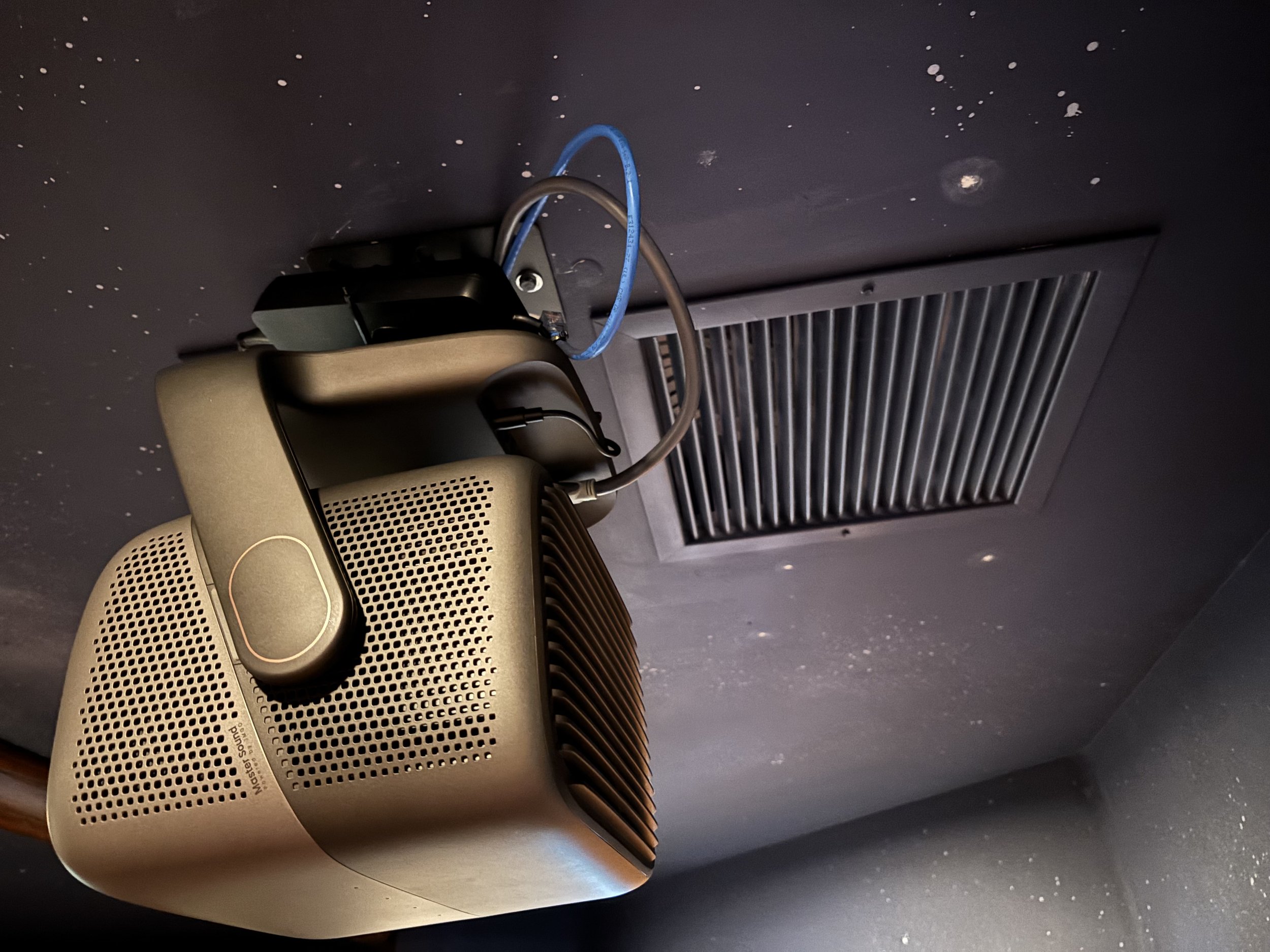
Omg….this is awful. Just do a normal bolt pattern JMGO.
My biggest takeaway is that the IRIS Ultra is happiest with plenty of room to work. You have to consider throw distance and screen size together, because a projector being able to produce a certain image size doesn’t mean it can do so from every distance. I’d be particularly interested in pairing it with a screen of 150 inches or more, assuming the room and projector placement support it. You don’t need a 150-inch screen to enjoy it, since the right size depends on the throw distance, optical range, and room layout. But if you plan to install it 14 feet from a relatively small screen, do your homework before buying. The larger screen Ryan is planning should be a much better match, and I’m looking forward to seeing the result.
Buy the mount I used on Amazon!
Picture Quality
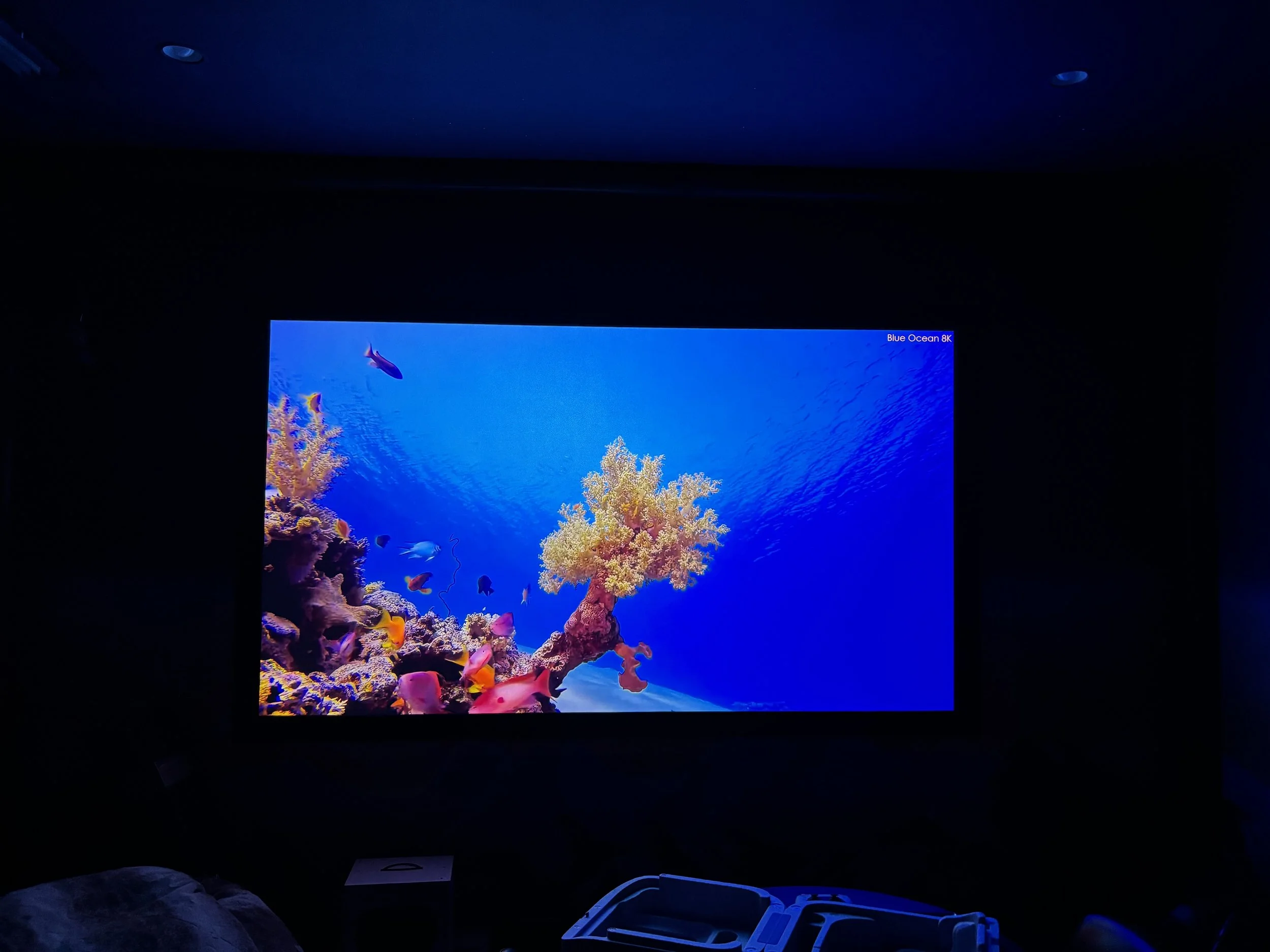
The IRIS Ultra produces one of the most impressive images I’ve seen from a projector anywhere near this price. I’ve worked with plenty of projectors over the years, including models that cost much more. It isn’t hard to find a good projector today, since the market is competitive and even affordable models can deliver an enjoyable home theater experience. But there’s a difference between a projector that looks good for the money and one that makes you wonder why others cost so much more, and the IRIS Ultra falls into the second category.
Once the installation was done and the image was properly aligned, I was surprised by how good everything looked. It’s the kind of picture that makes you want to sit down and watch something instead of fiddling with settings. I spend a lot of my professional time troubleshooting, adjusting, and calibrating equipment, so it’s refreshing when a projector lets me stop worrying about the hardware and just enjoy the result.
I wouldn’t claim it objectively outperforms every projector costing $5,000 or more, since that would take direct comparisons and controlled measurements. But based on what I saw, its image quality belongs in a conversation about projectors that cost considerably more.
Buy the JMGO Iris Ultra on Amazon!
The Installer’s Complaints: Mounting, Power, and Setup Options
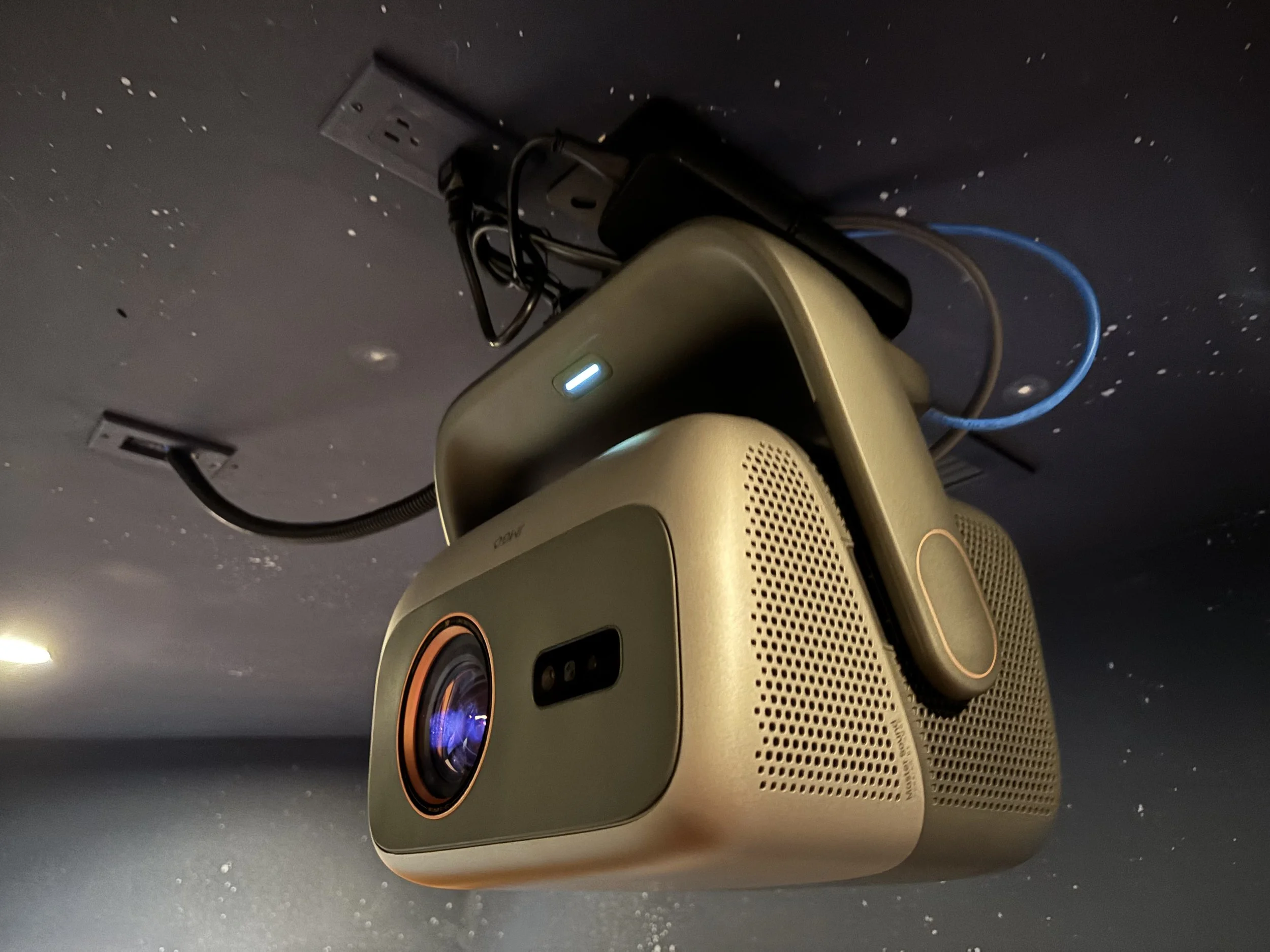
Most of my complaints come from installing the projector rather than watching it. The integrated gimbal-style stand is convenient on a table or shelf, but it makes permanent ceiling mounting more complicated. The mounting pattern on the bottom of the gimbal is unusually small, and finding a suitable ceiling mount wasn’t straightforward. I eventually found a universal mount that I could make work with some minor modification, but I spent more time figuring out the mounting arrangement than I did physically installing and configuring the projector. That’s ridiculous.
Then there’s the external power brick. With a projector that’s already awkward to ceiling mount, I now had to find a place for a large power supply. In this installation I secured it to the mounting assembly with zip ties because there was no obvious place for it. That worked for the review, but it wasn’t the clean, integrated solution I prefer. For a permanent installation, the power supply and cabling should be secured with an appropriate method that meets the manufacturer’s requirements and applicable electrical codes. I’d like JMGO to offer a dedicated ceiling mount, or a version of the projector designed for permanent theater installations. The projector itself is excellent, but the installation hardware feels like an afterthought.
Another odd detail came up during initial setup. When the projector asked me to select the type of room, there was no home theater or theater room option. That’s ironic, since I was installing it in an actual home theater. It’s a small complaint and doesn’t affect picture quality, but it reinforces my impression that JMGO designed the IRIS Ultra mainly around the lifestyle projector experience, even though its performance makes it an excellent candidate for a dedicated theater. I’d like to see more attention paid to professional installations in future models.
Automatic Calibration
The IRIS Ultra offers several automated setup features, including screen adjustment, keystone correction, and autofocus. In theory they should make configuration easy. In practice, I found most of them disappointing.
When I first powered it on in Ryan’s theater, it correctly recognized that the image needed to be inverted for ceiling mounting, which was exactly what I wanted. But then it failed at the next step. Instead of recognizing the clearly defined 110-inch white screen, it tried to create an enormous image across the surrounding wall, targeting something around 310 inches, well beyond the actual screen. Even with a white projection screen directly in front of it, it couldn’t reliably tell where the screen ended, and the painted Western wall probably didn’t help. I ended up adjusting the image geometry and keystone manually.
Autofocus worked well at first. Later, while moving some wiring behind the projector, I accidentally bumped it slightly. The image went out of focus, and running autofocus again wouldn’t properly restore it, so I focused manually. By that point I’d mostly given up on the automatic features.
To put this in perspective, the actual setup took me only about 20 minutes once I’d sorted out the mounting. It wasn’t a horrible installation that took hours of troubleshooting. I’ve installed hundreds of projectors, so adjusting geometry, focus, and image position by hand isn’t hard for me, and the projector was straightforward to configure once I stopped relying on the automatic systems. Someone installing their first projector could find it frustrating. I’d treat the automatic features as conveniences rather than guarantees. If they work in your room, great, and if not, be prepared to adjust things yourself. Given how good the picture looks once everything is configured, I think the effort is worth it.
Why the Installation Issues Don’t Ruin It
Installation is something you do once, while picture quality is something you experience every time you turn the projector on. That doesn’t mean installation problems should be ignored. A poorly designed mounting system creates unnecessary work and engineering, and unreliable automatic adjustments can be frustrating, particularly for buyers with little experience. But I spent a relatively short time getting everything configured, and the result was an excellent picture.
I’d prefer a proper ceiling mounting system, and I’d prefer an internal power supply to a bulky external brick. I also think the automatic calibration should have recognized the 110-inch screen. But none of that would stop me from buying or recommending the IRIS Ultra, because once it’s installed, you get a viewing experience that feels like it belongs in a more expensive category.
Gaming and 4K at 120Hz
JMGO also advertises 4K at 120Hz, which could make the IRIS Ultra interesting for gaming. A projector that delivers high-resolution, high-refresh-rate content on a huge screen is an appealing idea. But I haven’t independently verified its high-refresh-rate performance, and there’s an important difference between accepting a 4K/120Hz input signal and displaying it at full resolution and refresh rate. Before recommending it specifically as a high-refresh-rate gaming projector, I’d want to check how it handles those signals, along with input lag and any limits on the available picture modes. For now I’m treating 4K/120Hz as an advertised capability rather than something I’ve tested, though given how impressed I am with the picture, I’d like to see how it does with gaming content.
Built-In Audio
Meh. The IRIS Ultra has integrated audio, but I didn’t evaluate its speakers. This was a dedicated home theater setup, and I focused on image quality and installation characteristics, so I won’t speculate about the sound. If you plan to use the projector on a table or shelf without a separate audio system, that may be an important consideration.
Buy the JMGO Iris Ultra on Amazon!
Is It Worth Buying?
Yes. It’s one of the easiest projector recommendations I’ve made recently for someone who prioritizes picture quality and value. At about $2,400, the IRIS Ultra delivers a viewing experience that genuinely surprised me, and the mounting and automatic calibration problems are minor compared with the quality of the picture.
If you’ll use it on a table or shelf, you’ll avoid most of my mounting complaints. If you’re ceiling mounting it, check for compatible mounting hardware before ordering and plan how to safely secure the external power supply. Also verify your throw distance and screen size carefully. Our 14-foot installation showed how much that relationship matters, since the existing 110-inch screen was too small for the image we wanted and Ryan is upgrading to a larger one. Don’t assume a projector can create any screen size from any location. With the right screen, the right mount, and everything configured, the IRIS Ultra is a pleasure to watch.
Final Verdict: 9/10
The JMGO IRIS Ultra is a reminder of how far home theater technology has come. For about $2,400, you get a projector with impressive advertised specifications and, more importantly, outstanding picture quality. Having installed hundreds of projectors, I can say it’s among the most impressive I’ve personally experienced for the money.
My complaints are real. The ceiling mounting is awkward, the external power brick is a nuisance, the automatic screen adjustment was practically useless in my installation, and autofocus wasn’t fully reliable. But once the projector was installed and I saw the picture, I stopped caring about most of that. With a conventional mounting arrangement, a cleaner power solution, and more dependable automatic calibration, I’d have very little left to complain about. I’d love to see JMGO package this same image quality in a projector designed for permanent home theater installations.
Even as it stands, it’s an outstanding projector. If you’re shopping under $3,000 and picture quality is your top priority, the IRIS Ultra deserves a spot on your shortlist. It’s not the easiest projector I’ve ever ceiling mounted, but it may be one of the most impressive I’ve watched at this price. My rating: 9/10.