Disclosure: We may earn a commission when you purchase through links on our site. This does not influence our reviews or recommendations. I purchased this product myself on Amazon, I had no contact with Jhoinrch for this article.
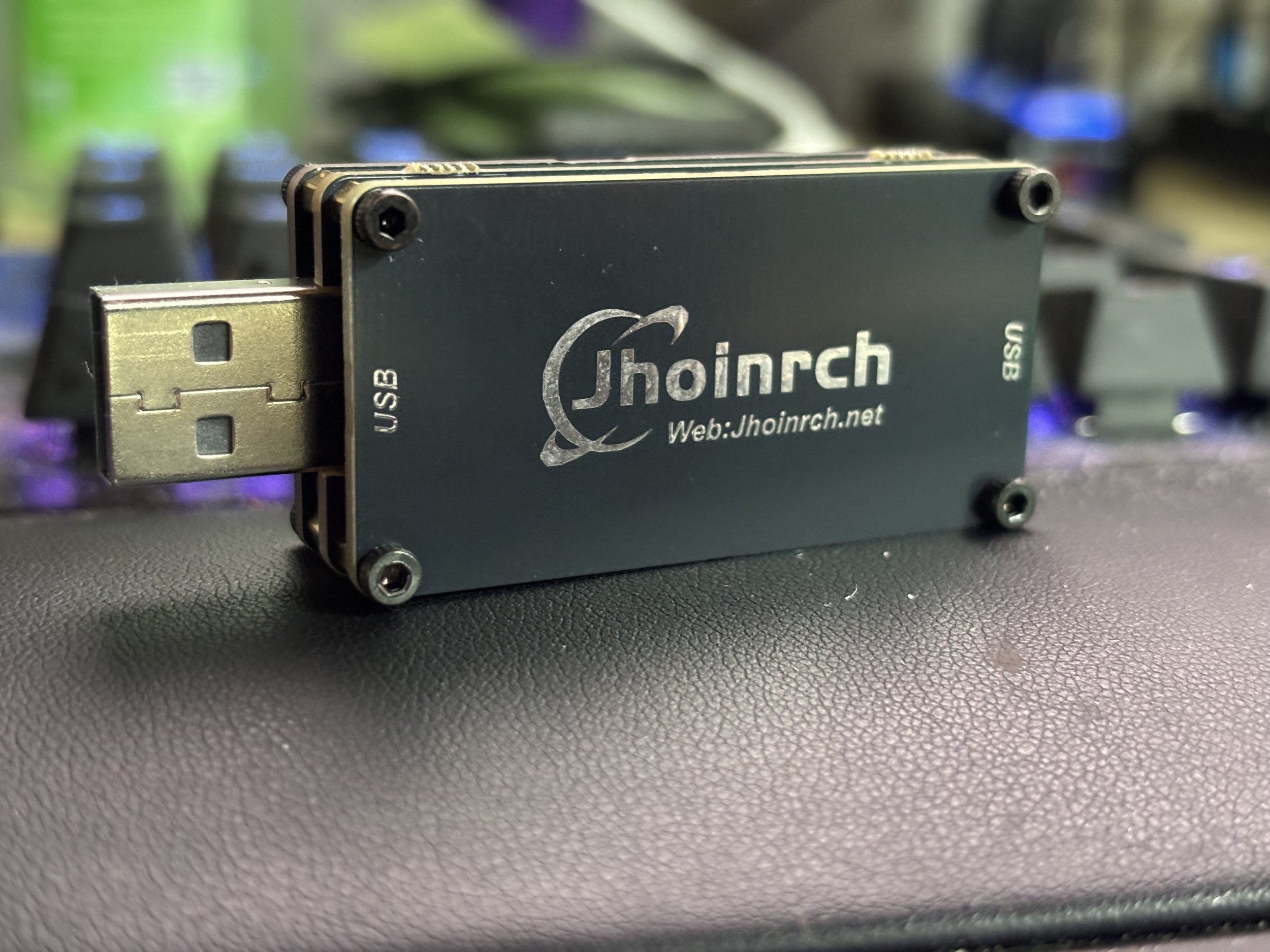
After replacing my PC power supply and surge protector, my external audio system developed an annoying high-pitched buzz that changed whenever I moved my mouse. A Jhoinrch USB 2.0 480Mbps galvanic isolator eliminated it completely, but figuring out why it worked and also what I needed to buy/do to fix it took considerably longer. One of the most frustrating computer problems I've encountered recently had nothing to do with performance, software, or even a malfunctioning component. It was an annoying electrical buzzing noise coming through my external audio system, and the strangest part was that the sound changed whenever I moved my mouse. I could sit at my desktop with everything relatively idle and hear a faint, high-pitched buzz. Move the mouse cursor around the screen, and the noise became noticeably more pronounced. It wasn't particularly loud, but once I noticed it, I couldn't ignore it.
The problem appeared shortly after I replaced my aging PC power supply and surge protector. Both were roughly 10 to 14 years old, and while my power supply hadn't completely failed, I felt it was time to replace it for safety. My surge protector had also started giving me problems. For the power supply, I chose the be quiet! Pure Power 12 M 1200W, which made sense for my relatively powerful desktop PC. What I didn't expect was for a routine hardware upgrade to introduce an audio problem that would take a surprising amount of troubleshooting to resolve. Eventually, hours later, I found a solution in the Jhoinrch USB 2.0 480Mbps High Speed Isolator, a small device designed to electrically isolate USB connections. After installing it between my USB hub and external DAC, the buzzing disappeared completely.
This isn't really a conventional product review or editorial. It's a guide to understanding and troubleshooting a specific problem: PC audio buzzing, USB DAC interference, and ground-related noise that changes with mouse movement or computer CPU/GPU activity. And if you're dealing with something similar, there are a few things I'd recommend checking before spending any money.
Buy the Jhoinrch USB galvanic isolator on Amazon!
Why Does My PC Make a Buzzing Noise When I Move My Mouse?
The most unusual symptom in my case was how closely the noise followed mouse movement. If I left the computer alone, I could hear a relatively faint electrical buzz. However, moving the cursor around the screen made the interference more noticeable. That's a useful troubleshooting clue because mouse movement causes activity throughout several parts of the computer. Modern mice communicate with the PC through frequent USB reports, while moving the cursor also causes the operating system and graphics subsystem to update what appears on the display. Those activities can change electrical switching patterns and current demands inside the system.
Components such as the CPU, GPU, motherboard voltage regulators, and USB controllers all operate in an electrically noisy environment. Their power requirements can change rapidly, and the associated switching activity can generate high-frequency interference. Under normal circumstances, none of that should become audible through your speakers. However, if unwanted electrical noise finds its way into an audio circuit, you may hear buzzing, whining, or other interference that changes depending on what the computer is doing.
In my case, the relationship between mouse movement and buzzing immediately made me suspicious of electrical interference associated with the PC. That didn't mean my graphics card was defective, and it certainly didn't prove that my new power supply was malfunctioning. Instead, it suggested that some of the computer's electrical activity was becoming audible somewhere in the audio signal chain. The challenge was figuring out how it was getting there.
Understanding Ground Loops and USB Electrical Interference
When people encounter buzzing through computer speakers or external audio equipment, one of the first explanations they often hear is that they have a ground loop. That's certainly one possibility, but it's worth understanding what a ground loop actually is. A ground loop can occur when connected devices have more than one conductive path between their grounding points. For example, a desktop PC might connect to an external USB DAC, which then connects to an amplifier or powered speakers. Depending on how those devices are powered and interconnected, there may be multiple electrical paths between them. Small differences in electrical potential can cause unwanted currents to flow through signal grounds or cable shields. In some circumstances, those currents introduce audible noise into the audio system.
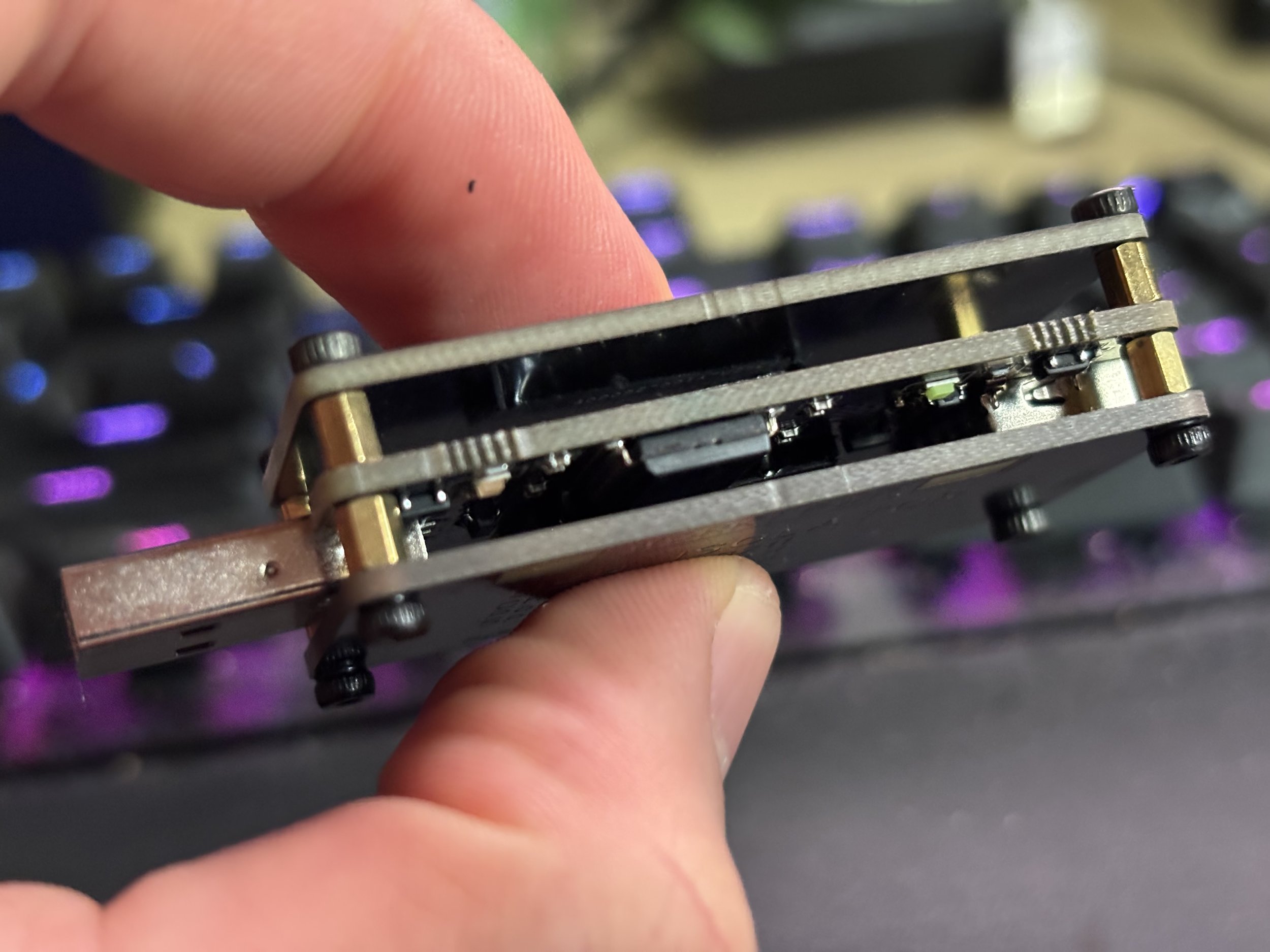
Traditional ground loop problems often produce a steady 50Hz or 60Hz hum, sometimes accompanied by harmonics. However, computer audio interference isn't always that simple. A PC can also introduce higher-frequency switching noise through its USB power or ground connections. That interference may be heard as a sharper buzzing or whining sound that changes with system activity. This is often described as conducted electrical noise.
The two problems are related, but they aren't identical. A traditional ground loop involves unwanted current flowing through multiple grounding paths. Conducted USB interference involves unwanted electrical noise traveling along a conductive connection into another device. In practice, both can sometimes be addressed through galvanic isolation, provided the problematic electrical path passes through the connection being isolated. That's ultimately what made a USB isolator worth investigating in my setup.
The Headphone Test That Helped Narrow Down the Problem
Before ordering anything, I wanted to determine whether the noise was coming directly from my computer's audio output or entering through my external equipment. One of the simplest tests I performed was plugging a pair of ordinary headphones directly into the green 3.5mm audio output on the back of my motherboard. This bypassed my usual external USB DAC and amplifier arrangement. The result was interesting. The headphones were completely quiet. I didn't hear the same high-pitched buzzing that had been bothering me through my external audio system.
That immediately suggested the problem wasn't affecting every audio output from the computer. It also made me more suspicious of the electrical connections between the PC and my external DAC or amplifier. Unlike an externally powered audio system, ordinary passive headphones don't have a separate mains power connection. They're simply connected to the computer's analog audio output. That difference can be useful when investigating unwanted ground currents or electrical interference. However, I want to emphasize that this test doesn't conclusively prove you have a ground loop. The motherboard's analog audio output uses different circuitry from an external USB DAC, and headphones don't necessarily reveal low-level interference in the same way an amplifier and speakers might.
Still, it's an excellent first troubleshooting step. If your external DAC or powered speakers produce buzzing but ordinary headphones connected directly to your motherboard sound clean, that's a good reason to investigate the external audio connections before replacing expensive computer hardware. In my case, it was one of the clues that pointed me toward USB isolation.
Buy the Jhoinrch USB galvanic isolator on Amazon!
How to Troubleshoot USB DAC Buzzing Before Buying Anything
If you're experiencing a high-pitched buzz, electrical whining, or noise that changes when moving your mouse, I wouldn't recommend immediately buying a USB isolator. First, try to determine where the interference is entering the audio system. Here are the tests I would start with.
1. Connect headphones directly to your PC. If your motherboard has a 3.5mm headphone output, try a pair of passive headphones. If the buzzing isn’t there, the external audio equipment or its connections deserve closer investigation.
2. Disconnect the USB cable from your DAC. With your amplifier powered on at a safe listening level, disconnect the DAC's USB connection and listen for changes. If the buzzing disappears, that strongly implicates the USB-connected portion of the system, although the change alone doesn't prove the exact source of the interference. Be aware that some DACs mute or shut down when USB is disconnected.
3. Check the analog audio connections. If possible, disconnect the cable between the DAC and amplifier. If the amplifier becomes quiet, the noise may be entering through the DAC or its analog connections. Lower the volume before disconnecting cables to avoid loud pops.
4. Try another USB port. Connect your DAC directly to a rear motherboard USB port rather than a front-panel connector or USB hub. If your PC has multiple USB controllers, trying ports associated with different controllers may also help.
5. Check how your equipment receives power. If your PC, DAC, and amplifier are plugged into different power strips or outlets, try connecting them to a common, properly grounded power distribution point within its rated capacity. Changes in grounding arrangements can affect interference, although they don't guarantee a solution.
6. Test with a battery-powered laptop. If you have access to another computer, try connecting the same DAC to a laptop running on battery power. If the interference disappears, that may indicate that the original computer's power or grounding arrangement is involved. It doesn't conclusively identify the source, but it's another useful clue.
7. Pay attention to what makes the noise change. Does it become louder when moving the mouse, scrolling through webpages, launching games, or placing the GPU under load? Those patterns can help determine whether the interference is associated with computer activity.
The objective isn't necessarily to identify the exact electrical component producing the noise. It's to determine which connection is allowing that noise to reach your speakers. That's an important distinction because you may be able to eliminate the interference without replacing the component that generates it.
How I Installed the USB Isolator
Installing the Jhoinrch isolator turned out to be considerably easier than diagnosing the problem. My desktop setup includes a USB hub on my desk, which connects back to the computer. Rather than installing the isolator between the PC and the entire USB hub, I placed it directly on the connection feeding my external DAC. My connection looked like this: Desktop PC → USB hub → Jhoinrch USB isolator → USB DAC → Amplifier and speakers
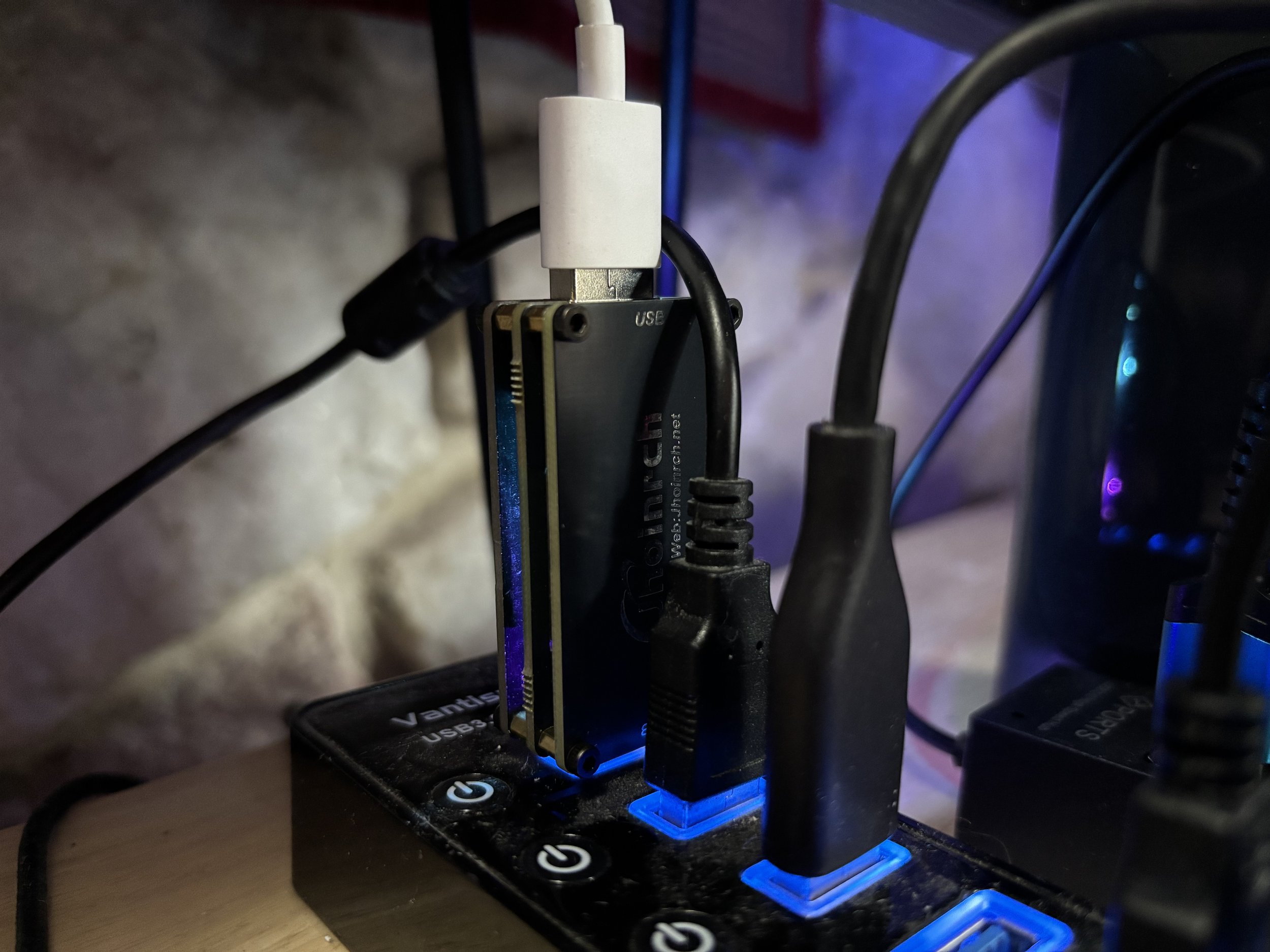
Desktop PC → USB hub → Jhoinrch USB isolator → USB DAC → Amplifier and speakers
That's an important detail. I didn't want to isolate every USB peripheral connected to my computer. I only wanted to interrupt the electrical connection associated with the audio equipment. Placing an entire USB hub downstream of an isolator can introduce additional power requirements and compatibility complications, especially if multiple peripherals are connected. For a single USB DAC, it's generally more practical to isolate that device's connection. You can also connect a compatible USB isolator directly to a USB port on the back of your computer, with the DAC connected to its isolated output. The important thing is to follow the manufacturer's host and device labeling and ensure the DAC is connected to the isolated side.
In my case, there was no software to install and no complicated setup procedure. I plugged the isolator into my USB hub, connected the DAC, and tested the audio. And that was it.
The Result: The Buzzing Disappeared Completely
This was easily the most satisfying part of the entire troubleshooting process. After installing the Jhoinrch USB isolator, the high-pitched buzzing disappeared completely. Not partially. Not just a noticeable reduction. The noise was gone. I could move my mouse cursor around the screen without hearing the electrical buzzing that had previously become more pronounced. The interference that appeared after replacing my power supply and surge protector was no longer audible through my audio system. And I didn't have to replace my DAC, amplifier, speakers, graphics card, or new power supply.
That result strongly suggested that interrupting the conductive path associated with the USB connection was enough to eliminate the problem. It doesn't prove exactly which component originally generated the interference, nor does it establish whether the issue was exclusively a traditional ground loop or another form of conducted electrical noise. But from a practical standpoint, the distinction wasn't particularly important anymore. The problem was solved. And that's why I consider this more of a troubleshooting solution than a traditional product review. The Jhoinrch isolator isn't something I purchased because I wanted a new feature or a different audio presentation. I purchased it because I had a specific problem that needed to be fixed. In my setup, it worked exactly as intended.
Will a USB Isolator Improve Your DAC's Sound Quality?
This is an important question because USB isolation sometimes gets discussed alongside expensive audiophile accessories and claims about improving digital audio performance. I wouldn't recommend purchasing a USB isolator simply because you expect it to make a perfectly functioning DAC sound more detailed, spacious, or musical. USB audio carries digital data, and a properly functioning digital connection doesn't automatically benefit from inserting additional hardware into the signal path. If your DAC and amplifier are already operating quietly, without audible interference, adding an isolator may not produce any noticeable improvement.
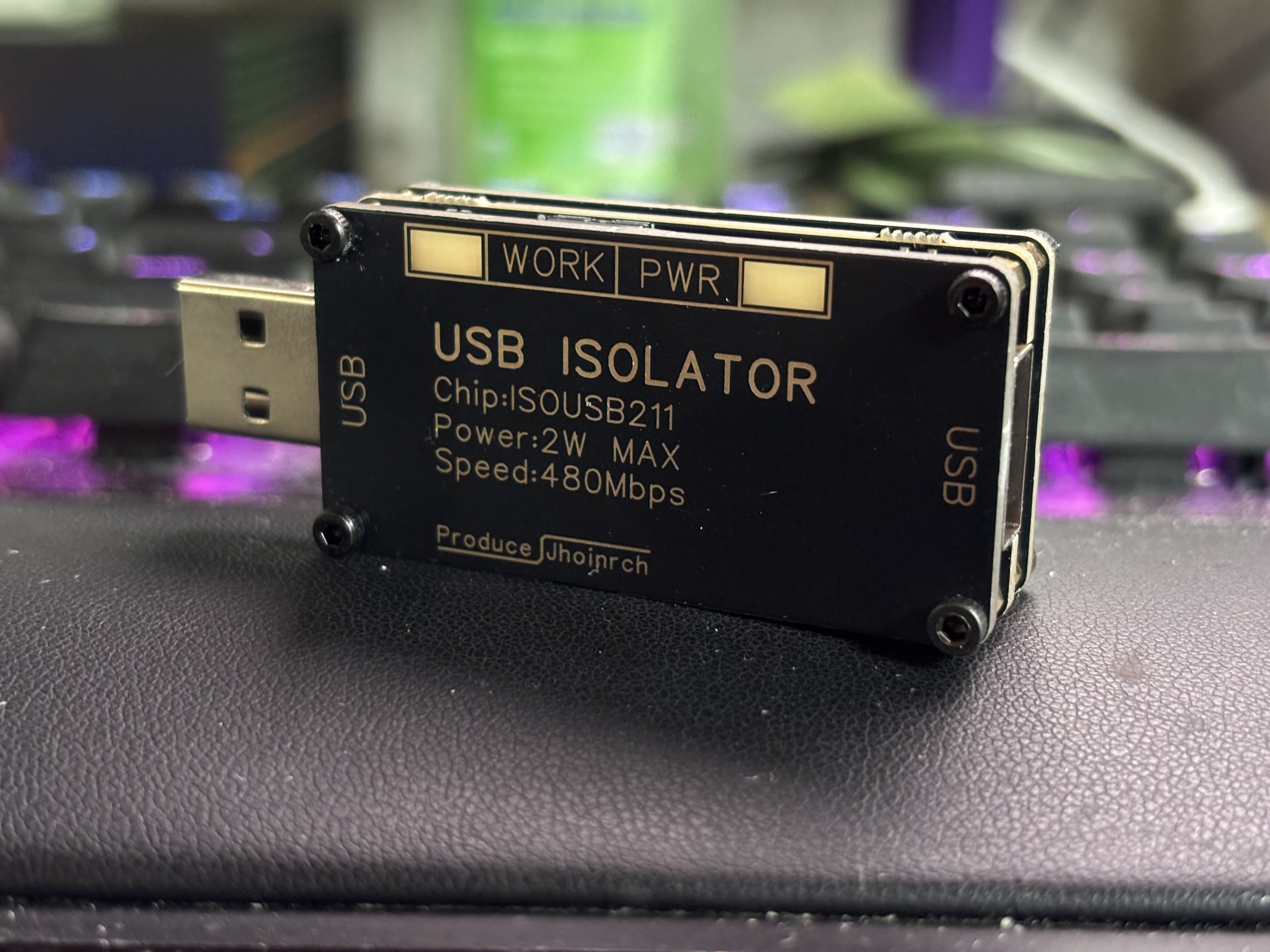
The purpose of galvanic isolation is to interrupt an unwanted electrical connection. If that connection is introducing noise into your audio system, removing it can make an enormous difference. If there's no audible noise problem to begin with, there may be nothing to improve. In my case, the difference was dramatic because the isolator eliminated interference that shouldn't have been present. It wasn't changing the tonal balance of my speakers or improving the underlying performance of my DAC. It was allowing the equipment to operate without the unwanted buzzing. That's the benefit I would focus on.
Buy the Jhoinrch USB galvanic isolator on Amazon!
What If a USB Isolator Doesn't Fix Your PC Audio Noise?
Although the Jhoinrch isolator completely solved my problem, it won't necessarily eliminate every buzzing or humming issue. The effectiveness of USB isolation depends on where the unwanted electrical noise is entering the system. If you're using a direct 3.5mm analog connection from your motherboard to powered speakers, for example, a USB isolator won't help because the audio signal isn't traveling through USB. Similarly, if the interference is entering through RCA cables, another connected audio component, or the amplifier itself, isolating the USB connection may not interrupt the problematic path. If you're still experiencing noise, there are several alternatives worth investigating. Optical audio connections: If your computer and DAC support optical S/PDIF, commonly called TOSLINK, this can be an excellent way to eliminate certain electrical ground paths. Optical cables transmit information using light rather than an electrically conductive connection. However, supported audio formats and sample rates depend on the equipment.
Analog ground loop isolators: If the problem exists between a DAC and amplifier, a properly designed audio isolation transformer may help interrupt unwanted ground currents in the analog signal path. Keep in mind that inexpensive transformers can introduce their own frequency-response or distortion limitations. Ferrite chokes: Ferrite cores installed on USB or other signal cables may reduce certain forms of high-frequency interference. They're not a guaranteed solution, and they don't break a DC ground connection, but they can sometimes help with electromagnetic noise. Different USB connections: Trying another USB cable, a direct motherboard connection, or a different USB hub can help identify whether the interference is associated with a particular connection.
Cable routing: Keeping sensitive analog audio cables away from power adapters, power cords, and other potential interference sources can sometimes reduce unwanted noise. Alternative USB controllers: In certain situations, a dedicated USB controller or PCIe USB expansion card may change the interference behavior, although this isn't a guaranteed solution and may not address an existing ground loop. The most important thing is to continue narrowing down the signal path rather than randomly replacing components.
A Quick Electrical Safety Warning
One thing I would never recommend is removing the safety ground from a computer, amplifier, or other mains-powered device to eliminate buzzing. You may encounter suggestions online involving three-prong-to-two-prong adapters, sometimes called cheater plugs, or other methods of disconnecting the protective earth connection. Don't do that. The protective earth connection is an important electrical safety feature. Removing it can create a shock hazard if a device develops an internal electrical fault. Proper USB galvanic isolation, optical connections, and suitable audio isolation transformers can address certain noise problems without compromising the protective grounding of mains-powered equipment. There's no reason to trade electrical safety for quieter speakers.